Example 2
For displaying the time in a 12 hour format, and an optionally blinking colon as the hours/minutes separator, you can define this Group/Digit setup:
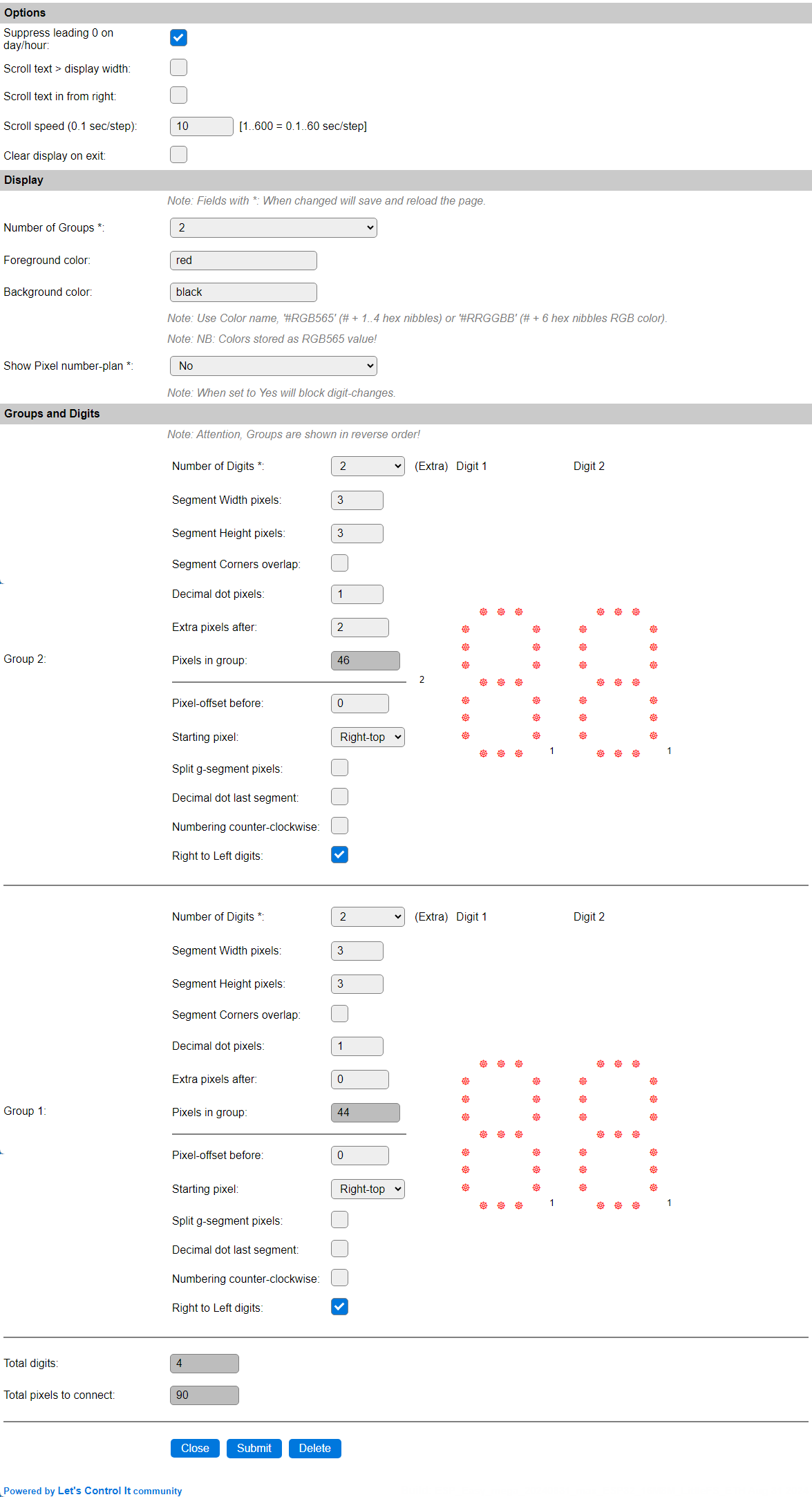
The option to suppress the leading 0 on day/hour option is enabled now, so the left-most digit will be empty most of the time.
We have defined 2 Groups of each 2 Digits, but effectively use only 3 1/2 digit. The height and width of the segments can be configured as preferred, this example uses 3 pixels for both. When using more pixels per segment, like 5, 6 or 7, it is probably better to define a larger decimal point, if that is to be used, 3 seems appropriate in that case, and also the extra pixels, used to add the colon separator, could have 4 to 8 pixels to get a matching size with the large segments.
Note
This layout is presented in reverse order, as all groups use the Right to Left digits option. The actual positioning is still with Group 1 as the left-most group, and then using the numerically next group(s). This layout is needed to make the number-plan work from right to left.
The number-plan for this layout is presented like this:

The number-plan starts at the Right-Top pixel, instead of the Left-Top pixel, so the a-segment for the left-most digit can be excluded.
To save space and a few pixels, or create a larger display with a standard strip-length, the marked numbers (76..90) can be excluded from the build, as for a 12 hour clock the left-most digit is 0 most of the time, and that 0 is being suppressed, so no pixels will light up.
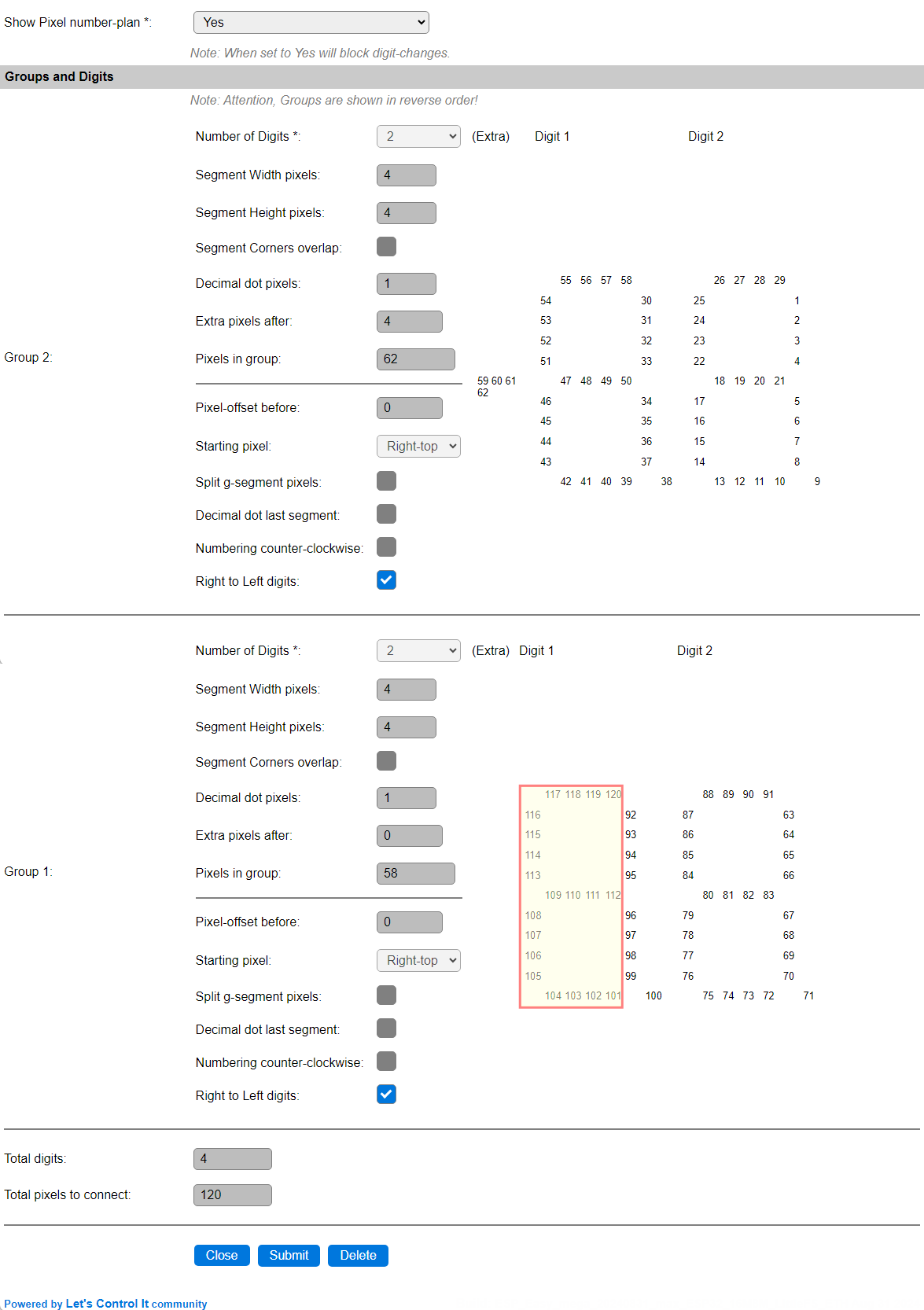
This shows an increased layout, using 4-pixel segments and a 4-pixel colon, that can be built from exactly 100 pixels, 2 50-pixel wired-pixelchains as available from EBay, Aliexpress etc.
Again, the marked pixels (101..120) can be excluded.