UV - LTR390
Ultra violet and Ambient sensor
Plugin details
Type: UV
Name: LTR390 UV
Status ESP32: COLLECTION E CLIMATE
Status ESP8266: COLLECTION E CLIMATE
GitHub: P133_LTR390.ino
Maintainer: tonhuisman
Used libraries: https://github.com/RAKWireless/RAK12019_LTR390 (modified local copy)
Description
I2C UV and Ambient light sensor with UVIndex and Lux calculation.
Configuration
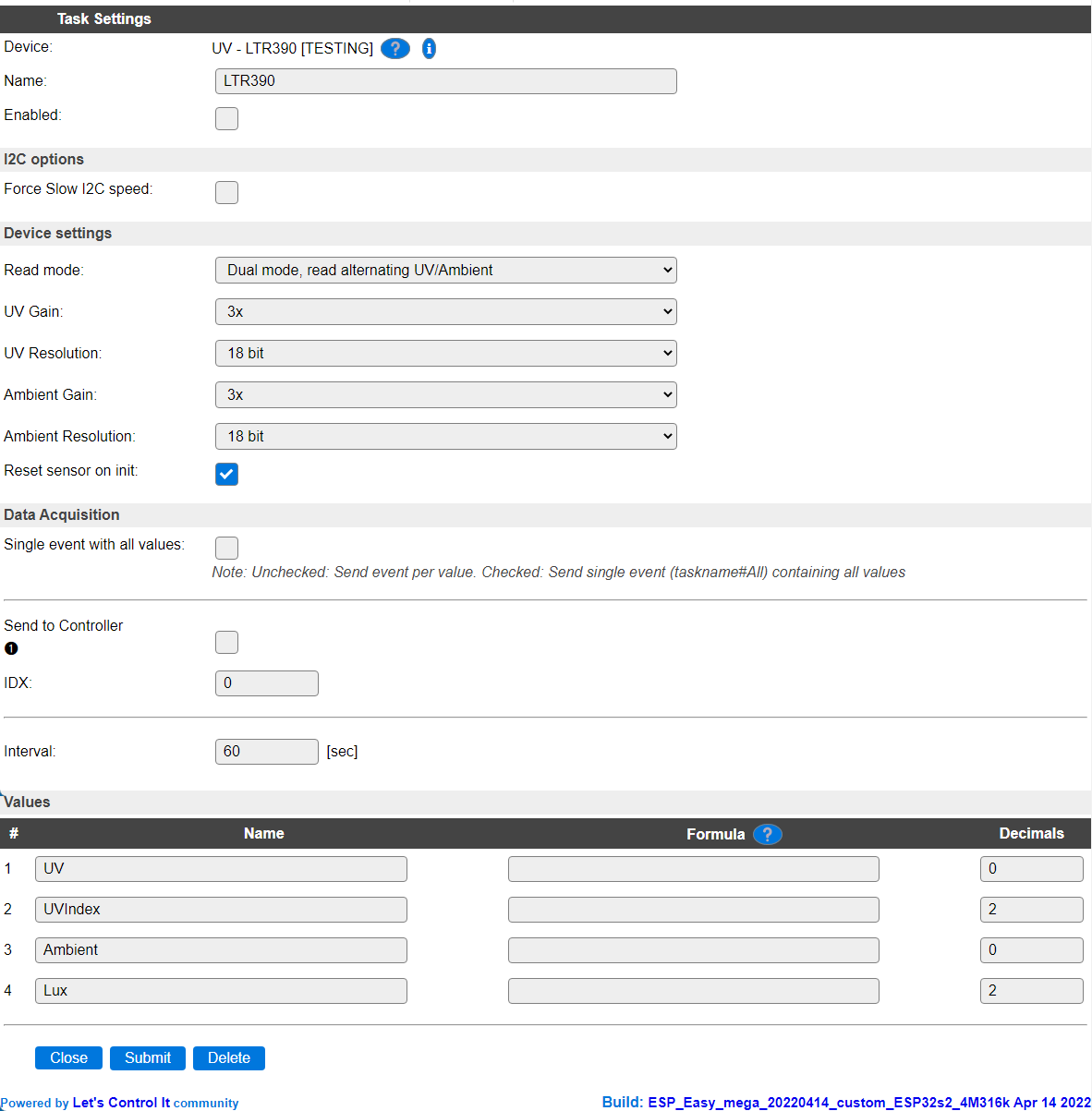
Name A unique name should be entered here.
Enabled The device can be disabled or enabled. When not enabled the device should not use any resources.
I2C Options
The available settings here depend on the build used. At least the Force Slow I2C speed option is available, but selections for the I2C Multiplexer can also be shown. For details see the I2C Bus page
Device Settings
Read mode: As the sensor has 2 measuring options, the kind of measurement can be selected. By default, Dual mode is selected.
Available options:

Dual mode, read alternating UV/Ambient Read both UV and Ambient alternating, and apply separate settings for Gain and Resolution when switching the measuring mode. Calculates both the UVIndex and Lux values.
UV reading only Read only UV, and calculate the UVIndex from it (according to manufacurer specification).
Ambient reading only Read Ambient light sensor value (ALS), and calculate the Lux value from that.
When selecting a different Read mode, the settings will be saved and the page reloaded, as the available options change when choosing a different option.
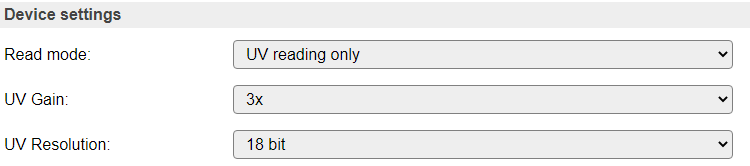
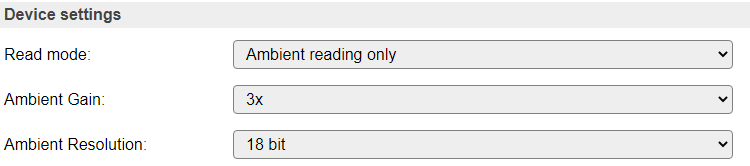
UV Gain The Gain determains the amplification of the signal measured. Depending on the desired range of values, this can be adjusted.
Ambient Gain

UV Resolution The sensor is capable of returning the measurement in different resolutions, as selected here.
Ambient Resolution
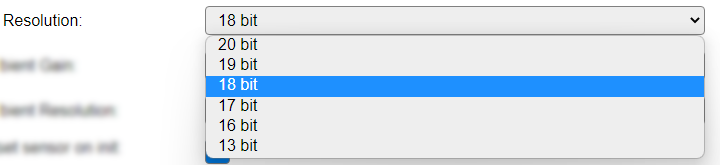
The time that is needed to determine the measurement increases with the resolution selected. The sensor is only read if a new measurement is actually available.
The Gain and Resolution are factored in for the calculation of the UVIndex and Lux values.
Data Acquisition
This group of settings are standard available configuration items.
Single event with all values: When this setting is enabled, all available values will be sent in a single event
<TaskName>#All, with all values in order as arguments to the event.Show derived values: When checked, the Devices overview page, and the
/jsonendpoint (used for updating the Devices overview page) will include any Derived values as defined. See theTaskValueSetDerivedandTaskValueSetPresentationcommands.Event & Log derived values: When checked, the Derived values will be generated as Events, to be handled in Rules, and sent to logging devices like the Syslog server and/or SD-card logging.
(The derived values options are only available if String variables feature is included in the build.)
Send to Controller: Select the Controller(s) to send the Values to, either on a
TaskRuncommand applied to the task, or on an Interval time action.
Send to Controller is only visible when one or more Controllers are configured.
Depending on the controller capabilities, some configuration settings may be shown:

All configured Controllers are shown here, including the enabled or disabled state (multiple Controllers can be enabled, only a single MQTT Controller can be enabled at one time!).
For each controller the user can select wether the data should be sent on each Interval (or explicit TaskRun).
For the Domoticz controllers the value index (IDX) has to be configured.
For some controllers, like Home Assistant/openHAB, there are extra options available.
Group: This represents the group id to combine all values from multiple tasks into a single grouped-device during MQTT AutoDiscovery. Groups, by design, can span multiple ESPEasy devices, if desired, as long as the Task/Valuename combinations are unique. If a group should only combine Tasks from a single ESPEasy unit, the group id should be unique across multiple ESPEasy units. The group description, default Group <n>, can be adjusted in Home Assistant. If the Group value matches the current Unit nr, the Unit name,
%sysname%, is used instead of Group <nr>.Retained: For MQTT Controllers, this setting can be enabled to send the values for the current task with the Retain flag set. The Publish Retain flag in the Controller settings will override this by sending all task values with Retain flag enabled.
Send derived: This checkbox determines if any configured Derived values should also be sent to the controller (and included in the AutoDiscovery if that’s available and enabled).
Resend MQTT Discovery: When checked, will start a resend of the MQTT Discovery process for this task after a random delay, when Submit is clicked, so any changed settings will be updated in the MQTT broker. This setting is only available if the controller is enabled, the Auto Discovery feature is available and enabled for the controller. This setting is not stored.
Other controllers, like f.e. FHEM HTTP, do not support additional settings besides the checkbox to enable sending the data.
Interval By default, Interval will be set to 60 sec. It is the frequency used to read sensor values and send these to any Controllers configured for this device.
Values
The measured values are available in UV and Ambient, and the calculated values in UVIndex and Lux. A formula can be set to recalculate. The number of decimals is by default set to 0 for UV and Ambient, as decimals are not available from the sensor, but after calculating the UVIndex and Lux they are.
Change log
Changed in version 2.0: added 2022-03-26 Initially added.