Light/Lux - VEML6030/VEML7700
VEML6030/VEML7700 Light/Lux sensor
Plugin details
Type: Light/Lux
Name: VEML6030/VEML7700
Status ESP32: COLLECTION G CLIMATE B
Status ESP8266: COLLECTION G CLIMATE B
GitHub: P168_VEML6030_7700.ino
Maintainer: tonhuisman
Used libraries: modified version of Adafruit_VEML7700
Description
The VEML6030 and VEML7700 are Light/Lux sensors, that can measure also in the high regions of lux values, like direct sunlight and very bright outside light conditions.
Configuration
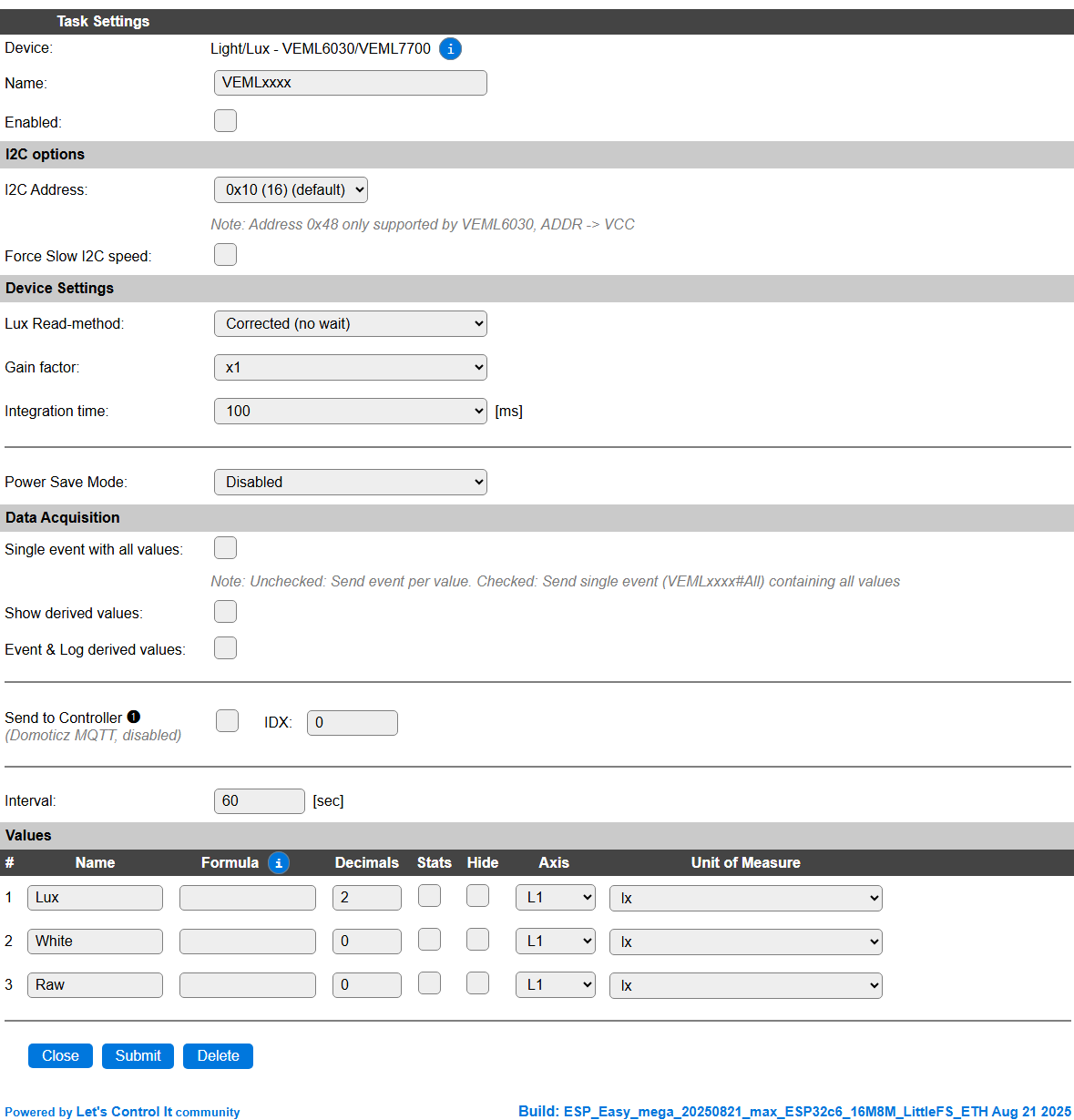
Name: Required by ESPEasy, must be unique among the list of available devices/tasks.
Enabled: The device can be disabled or enabled. When not enabled the device should not use any resources.
I2C options
The available settings here depend on the build used. At least the Force Slow I2C speed option is available, but selections for the I2C Multiplexer can also be shown. For details see the I2C Bus page
The VEML6030 has the option of selecting an alternative I2C address of 0x48 by pulling up the ADDR pin to VCC, when that pin is available on the board used. The VEML6030 also supports interrupt-driven operation, but that’s not implemented in this plugin.
Device Settings
Lux Read-method: Select the read method to be used, available options:

Normal (no wait): Normal read mode, will report the uncorrected
Luxvalue, doesn’t wait for the sensor to complete a measurement, but retrieves it later after starting the read.Corrected (no wait): Corrected read mode, Raw calculated to
Luxand corrected for non-linearity, doesn’t wait for the sensor to complete a measurement, but retrieves it later after starting the read.
Gain factor: Manually configure the Gain factor. Higher gain factors may distort/clip measurements, as the sensor might return max. values.

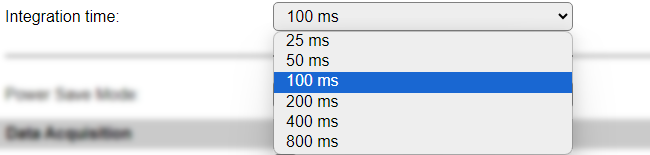
Integration time: Manually configure the Integration time. Longer integration times increase accuracy of the measurement.
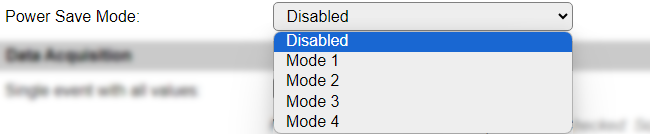
Power Save Mode: The sensor can go into Power Save Mode on several levels, to conserve power when used in a battery operated device. When in power save mode, the integration time increases.
Data Acquisition
This group of settings are standard available configuration items.
Single event with all values: When this setting is enabled, all available values will be sent in a single event
<TaskName>#All, with all values in order as arguments to the event.Show derived values: When checked, the Devices overview page, and the
/jsonendpoint (used for updating the Devices overview page) will include any Derived values as defined. See theTaskValueSetDerivedandTaskValueSetPresentationcommands.Event & Log derived values: When checked, the Derived values will be generated as Events, to be handled in Rules, and sent to logging devices like the Syslog server and/or SD-card logging.
(The derived values options are only available if String variables feature is included in the build.)
Send to Controller: Select the Controller(s) to send the Values to, either on a
TaskRuncommand applied to the task, or on an Interval time action.
Send to Controller is only visible when one or more Controllers are configured.
Depending on the controller capabilities, some configuration settings may be shown:

All configured Controllers are shown here, including the enabled or disabled state (multiple Controllers can be enabled, only a single MQTT Controller can be enabled at one time!).
For each controller the user can select wether the data should be sent on each Interval (or explicit TaskRun).
For the Domoticz controllers the value index (IDX) has to be configured.
For some controllers, like Home Assistant/openHAB, there are extra options available.
Group: This represents the group id to combine all values from multiple tasks into a single grouped-device during MQTT AutoDiscovery. Groups, by design, can span multiple ESPEasy devices, if desired, as long as the Task/Valuename combinations are unique. If a group should only combine Tasks from a single ESPEasy unit, the group id should be unique across multiple ESPEasy units. The group description, default Group <n>, can be adjusted in Home Assistant. If the Group value matches the current Unit nr, the Unit name,
%sysname%, is used instead of Group <nr>.Retained: For MQTT Controllers, this setting can be enabled to send the values for the current task with the Retain flag set. The Publish Retain flag in the Controller settings will override this by sending all task values with Retain flag enabled.
Send derived: This checkbox determines if any configured Derived values should also be sent to the controller (and included in the AutoDiscovery if that’s available and enabled).
Resend MQTT Discovery: When checked, will start a resend of the MQTT Discovery process for this task after a random delay, when Submit is clicked, so any changed settings will be updated in the MQTT broker. This setting is only available if the controller is enabled, the Auto Discovery feature is available and enabled for the controller. This setting is not stored.
Other controllers, like f.e. FHEM HTTP, do not support additional settings besides the checkbox to enable sending the data.
Interval By default, Interval will be set to 60 sec. The data will be collected and optionally sent to any configured controllers using this interval.
Values
The plugin provides measurements Lux, White, and Raw.
Per Value is a Stats checkbox available, that when checked, gathers the data and presents recent data in a graph, as described here: Task Value Statistics:
Get Config Values
Get Config Values retrieves values or settings from the sensor or plugin, and can be used in Rules, Display plugins, Formula’s etc. The square brackets are part of the variable. Replace <taskname> by the Name of the task.
Config value |
Information |
|---|---|
[<taskname>#Gain] |
Returns the current Gain factor of the sensor, not reflected in the settings. Useful when the Lux Read-method is set to Auto.
|
[<taskname>#Integration] |
Returns the current Integration time of the sensor, not reflected in the settings. Useful when the Lux Read-method is set to Auto.
|
Change log
Changed in version 2.0: …
added 2024-05-19 Initial release version.